Short answer
How do you book a GoWild flight? Sign in to the Frontier Miles account linked to your pass, search your route for tomorrow (or up to 10 days out for international), choose a flight that shows the GoWild! fare, and pay the taxes and fees. Seats can go while you type, so save your traveler details and a payment method first.
New to the pass: how to use GoWild!. The pass on one page: Frontier GoWild! Pass 2027. More short answers in the GoWild! Pass FAQ.
Booking a GoWild flight isn't hard. The part that differs from an ordinary booking is the sixty seconds between finding a fare and paying for it, because inventory can move while you type. This is the walkthrough we wish someone had handed us before our first booking.
Before the window opens
As covered in the booking window post, domestic flights open at midnight local to the departure airport. Get these things ready before then:
- Log into your FrontierMiles account (the one attached to your pass)
- Know your route options and a backup or two
- Have every traveler's FrontierMiles number and date of birth on hand if others are flying with you
- Save a payment method to your account so checkout takes two clicks
Finding GoWild availability
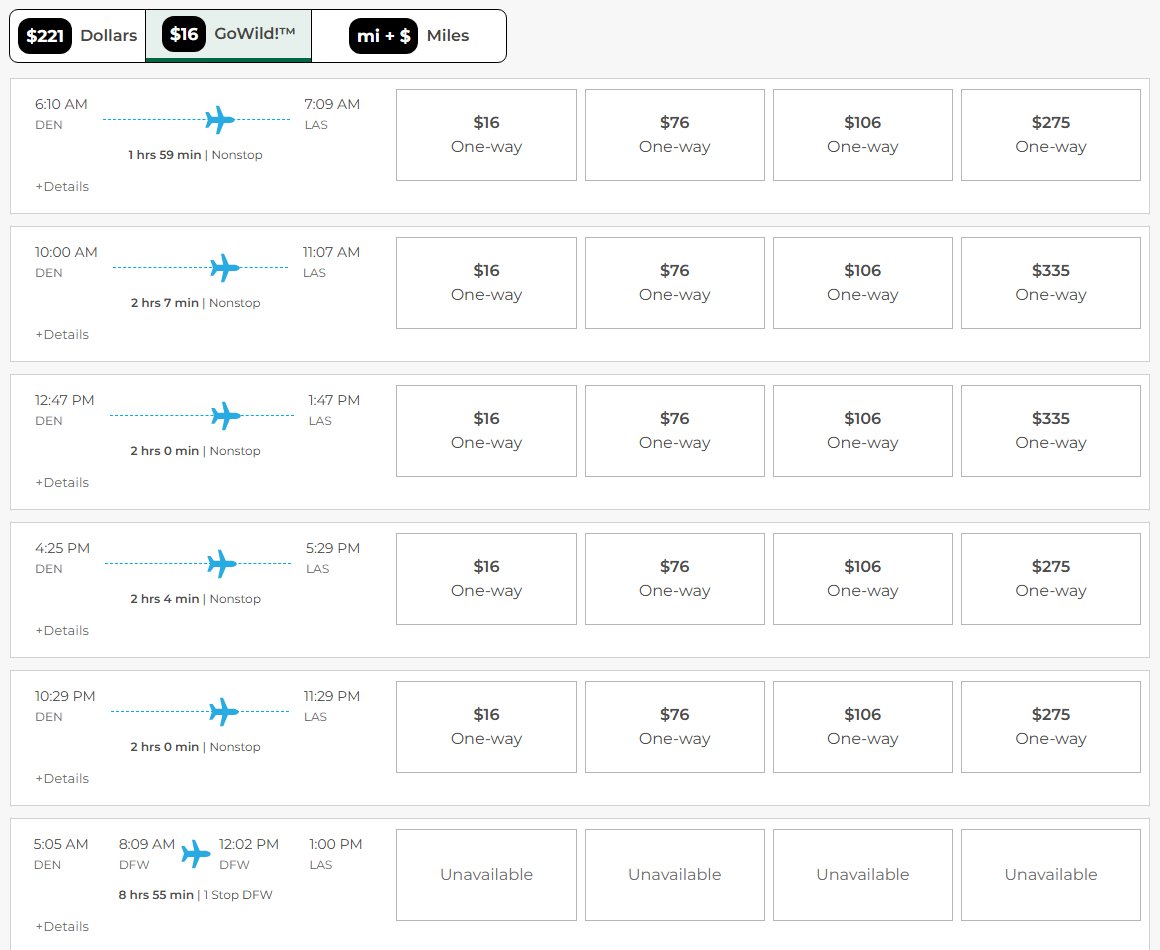
On the airline's site or app, search your route for tomorrow and look for the GoWild fare option among the results. If a flight shows no GoWild fare, that flight has no pass inventory at that moment. Availability changes all day as the airline adjusts inventory, so a no at midnight can be a yes at breakfast. We explain why in a later post on how availability works.
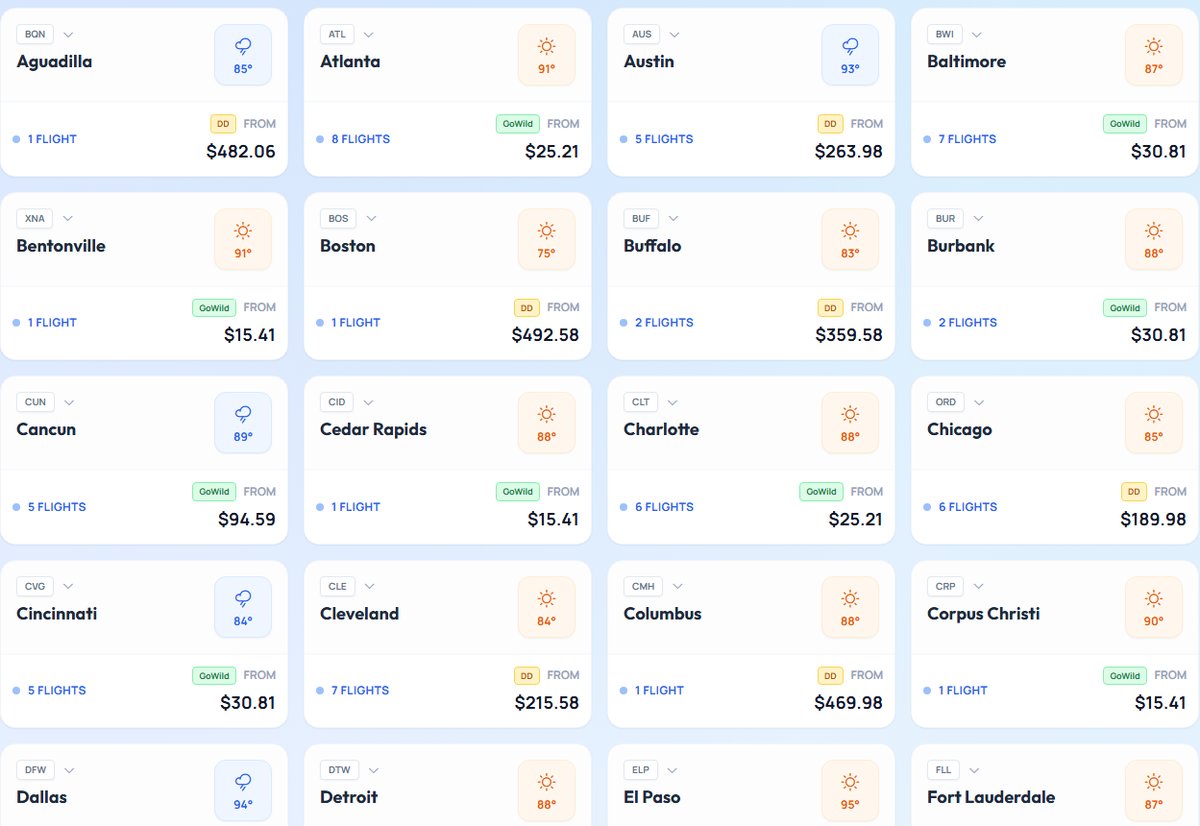
Searching route by route by hand is the tedious part, and it is the problem WildFares exists to solve. Our map shows every destination with GoWild seats from your airport in one view, so you search once instead of thirty times.
A faster way to search
Route-by-route searching on the airline's site works, but it is slow at the moment when speed matters. The WildFares search checks the whole network at once:
- Type your origin, pick a date, hit search. Results show every option with the GoWild fare and the seat count next to it.
- Tap the flight you want. We hand you to the Frontier checkout page with the itinerary pre-filled. We never sell tickets; the booking stays between you and the airline.
- Pay your $15 at checkout.
At checkout
Once you select a GoWild fare, you'll confirm passenger details and then be offered the add-ons, which are seats, bags, and bundles. You can handle them in one of two ways.
- Skip everything, pay the roughly $15 in taxes and fees, and lock the seat before inventory moves. You can add bags later, though prices rise closer to departure.
- Add what you know you need now, since bag prices are lowest at booking.
For a contested flight at 12:01am, skip the add-ons and pay. For a wide open Tuesday flight, take your time.
After booking
Check in opens 24 hours before departure in the app, and you'll want the app anyway for your boarding pass. If you have no carry-on, you can go straight to security with your mobile pass. You're allowed a personal item only, unless you paid for more.
If the fare disappears
If the fare disappears while you are typing, check nearby flights or the same flight later in the day, and check again in a few hours. Persistence matters more with GoWild than getting every booking right, and a miss matters less once you've had a $15 flight to the beach work out.

See every GoWild! seat before Frontier loads.
The map is free. Four searches a day, one alert, no card.